
2.0更新的核心观点:Key points in the 2.0 update:
更改:1.0对于嵌入的过程有重大误解!Correction: Version 1.0 fundamentally misunderstood the embedding process.
Embedding模型只有在建立知识库时,或者对话框上传文件token数量超出上下文长度时,才触发对embedding模型的调用(Anythingllm)。In AnythingLLM, an embedding model is invoked only when building a knowledge base or when an uploaded document's token count exceeds the context window.
实际上,在单独审核一份文件的时候,直接运行单个模型,在对话框上传单个文本,就够了。In fact, reviewing a single document requires only one running model and one text uploaded through the conversation interface.
更改:极大地化繁为简!Change: A substantially simpler setup.
如果不建立本地知识库,Anythingllm可以不需要,单个软件调用单个模型,设定足够的上下文长度,就可以实现本地审核的目标。Without a local knowledge base, AnythingLLM may be unnecessary. A single application calling a single model with sufficient context length can achieve the local proofreading objective.
依然推荐LMstudio ,调节启动模型的参数,最大化利用性能资源。I still recommend LM Studio, whose model-loading settings can be adjusted to make fuller use of the hardware.
Anythingllm、Ollama 、LMstudio可以只留一个,每次也只启动一个就足够了,大大减少了资源浪费。Of AnythingLLM, Ollama and LM Studio, only one needs to be retained and launched for each session, considerably reducing wasted resources.
更改:关闭思考模式!Change: Disable thinking mode.
多次对话多次问答的效果和效率,都更好。Repeated conversations and checking exchanges produce better results and greater efficiency.
更新:NPU 的利用。Update: Making use of the NPU.
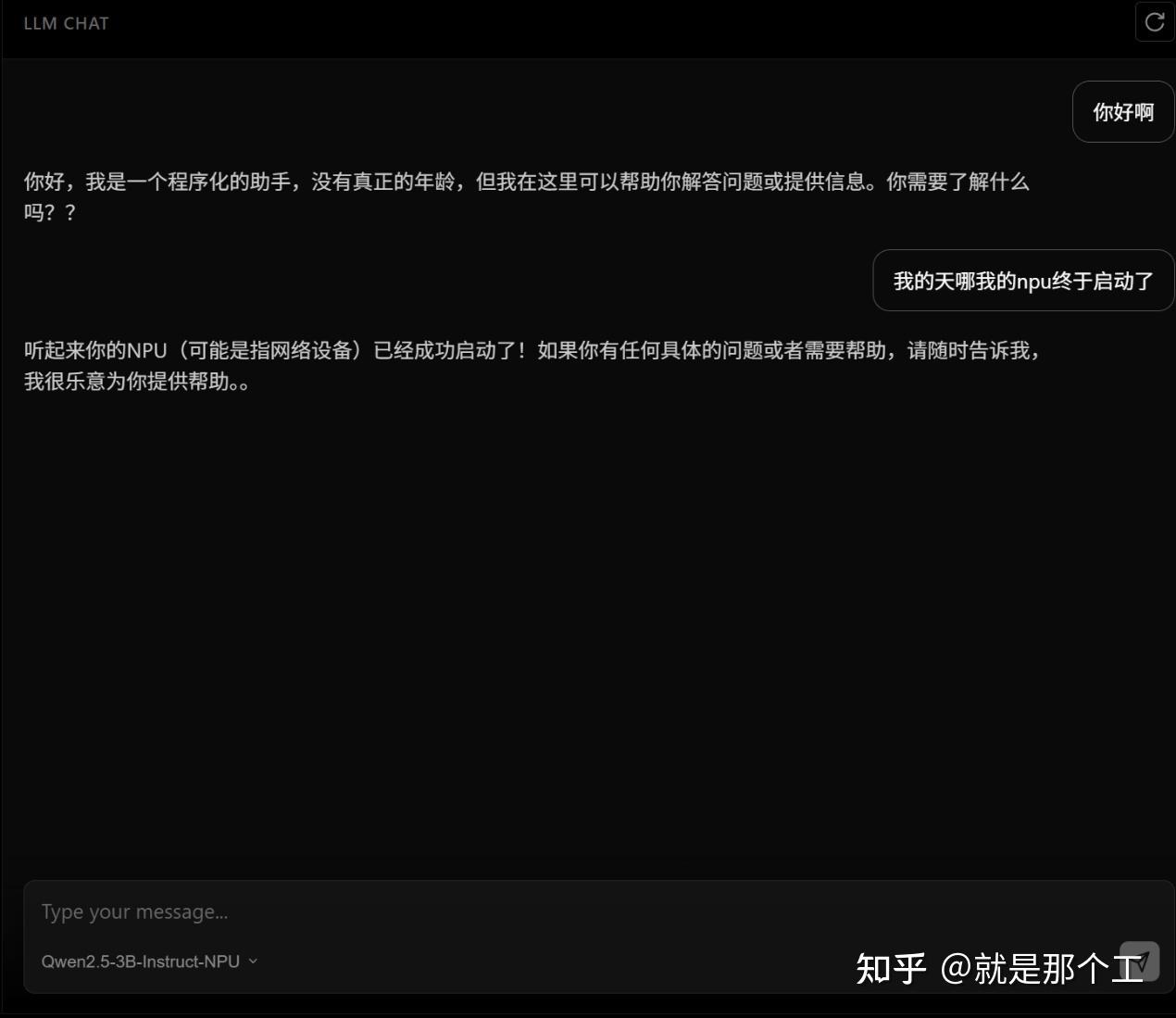
成功通过Lemonade 调用了AMD 的NPU资源。I successfully accessed AMD's NPU resources through Lemonade.
更新正文。The detailed update follows.
一、误解了嵌入过程,化繁为简。I. Correcting the misunderstanding about embeddings and simplifying the setup
1.0攻略的实践成果可以说比较尴尬。每次需要启动ANythingllm、Ollama、LMstudio三个文件,不仅过程繁重,而且占用内存。The practical outcome of the 1.0 guide was rather awkward. Each session required AnythingLLM, Ollama and LM Studio to be launched, making the process cumbersome and consuming RAM.
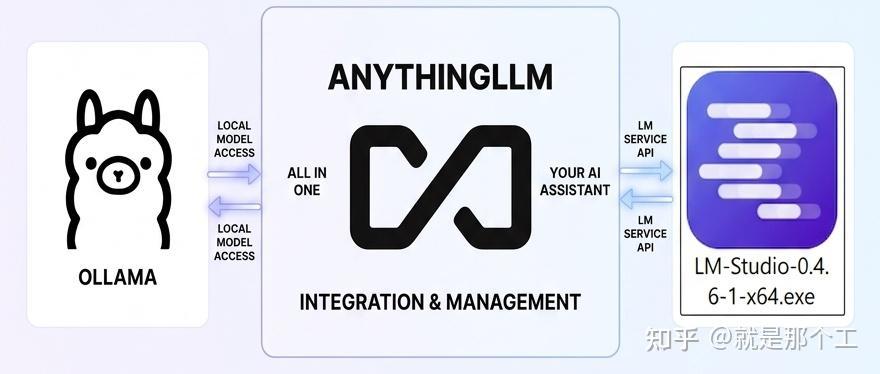
1.0如此纠结的根源在于,对于Embedding模型的执着。Version 1.0's complexity stemmed from my insistence on using an embedding model.
在初步学习时,Gemini的回答美化了Anythingllm对话框对嵌入模型的调用机制。While I was initially learning, Gemini's explanation overstated how AnythingLLM's conversation interface calls an embedding model.
造成了误解:精确的文本审核依赖Embeddding模型的质量。This led me to believe that accurate document proofreading depended on the quality of the embedding model.

为什么会发现这个误解?How did I discover the misunderstanding?
起源于三个文件打开的繁重,我发现LMstudio服务可以同时加载两个模型,因此我用LMStudio同时加载一个对话模型和一个Embedding模型,减少了一个启动Ollama的过程,节省了Ollama的资源占用。The inconvenience of launching three applications prompted me to investigate. I found that LM Studio could load two models simultaneously, so I loaded a conversation model and an embedding model there, eliminating the need to launch Ollama and saving its resource consumption.
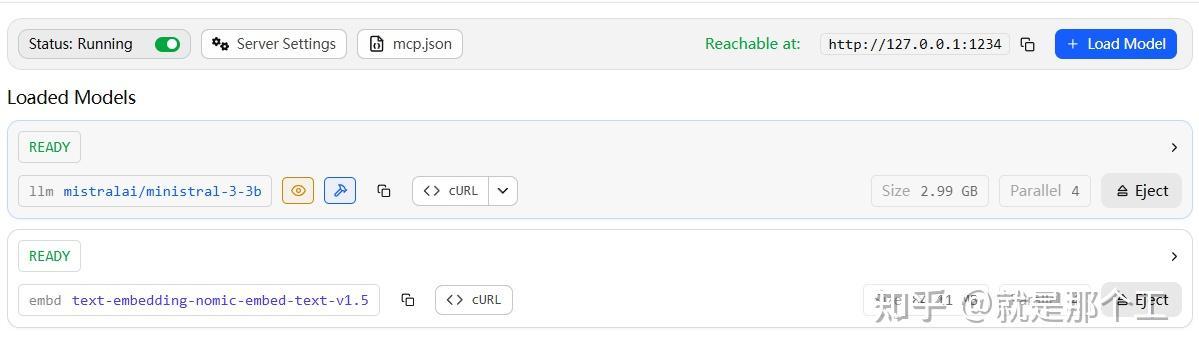
然后LMStudio服务端,可以看到Token的实时处理数量。LM Studio's server interface shows token processing in real time.
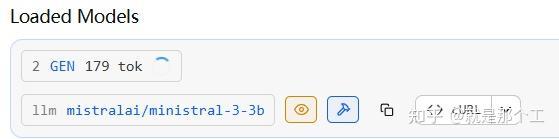
结果在上传文件的过程中,发现Embedding模型的Token处理数量一直是0。During document uploads, however, the embedding model's processed-token count remained at zero.
文件总是一下子就传好了,这个过程Embedding模式未被启用。Files uploaded almost immediately, without activating the embedding process.
而进一步尝试下,审核的结果也没有什么大的变化。Further testing also showed little change in the proofreading results.

再次搜索Gemini,开启pro模式,专门验证这个问题。I asked Gemini again, this time in Pro mode, specifically to verify the issue.
回答是,不仅不调用Embedding,对话模式直接读取文本的精度,反而是最高的。Its answer was that embeddings were not being called and that directly reading the text in conversation mode actually provided the highest accuracy.
因此1.0的纠结,源于一次重大误解。The complications of version 1.0 therefore arose from a major misunderstanding.
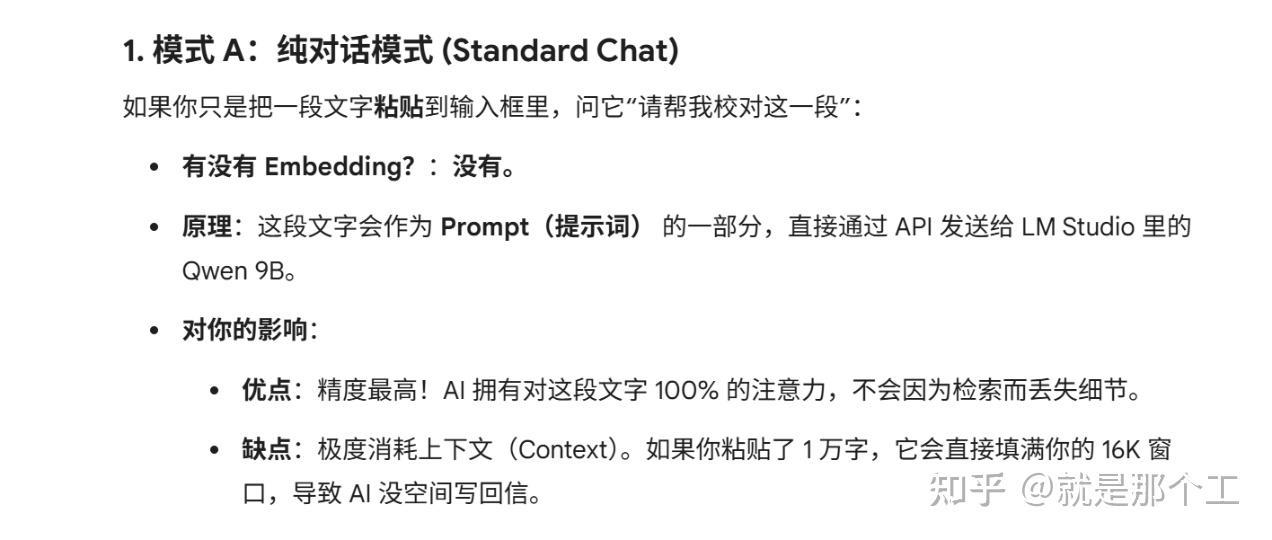
这意味着,本地文本审核这个简单的任务,不需要那么繁琐的多模型配合和调度。A straightforward task such as local text proofreading does not require complicated coordination of multiple models.
单个启动LMstudio或者Ollama,在对话框直接审核文本就可以了。Launching LM Studio or Ollama alone and reviewing the text through its conversation interface is sufficient.
调用模型对话的软件只留一个,开机启动作为常驻也不消耗太多的资源。Only one model-calling application needs to remain installed; keeping it available after startup need not consume substantial resources.
实用性和效率都大大提升。Usability and efficiency both improve considerably.
在此更正。This corrects my earlier account.
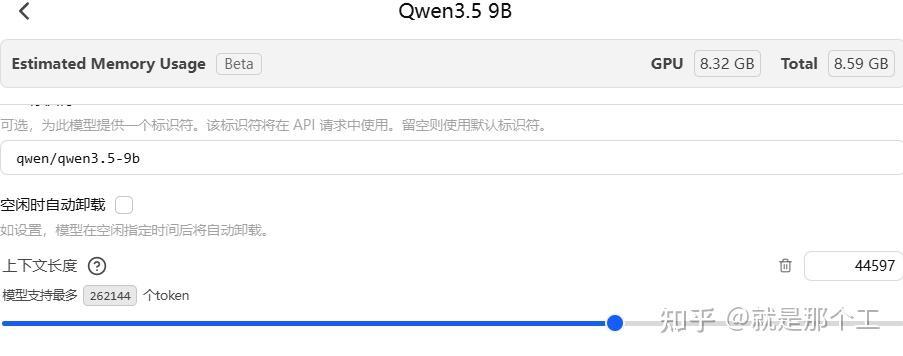
单个调用软件的推荐,Ollama和LMstudio都可以,这里最推荐依然是LMstudio,可以微调很多参数,最大化发挥本机的性能,方便在上下文长度、gpu调用、cpu调用之间取最平衡的参数。Either Ollama or LM Studio can serve as the single application. I still favor LM Studio because its parameters can be finely adjusted to balance context length, GPU use and CPU use for the particular machine.
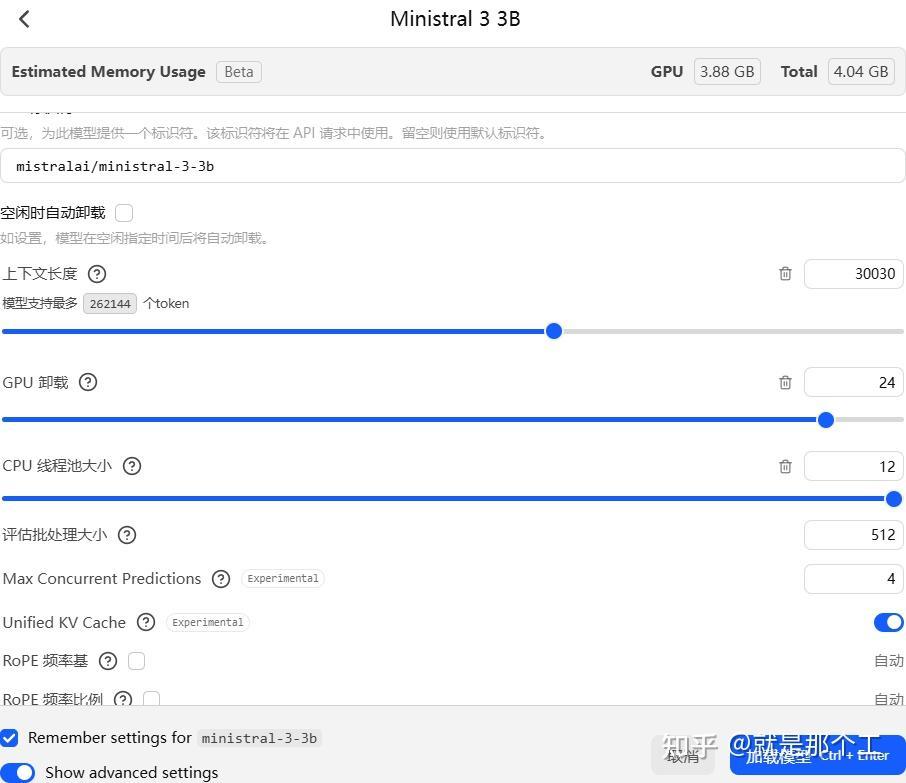
Ollama其实也可以调,但就是很麻烦,需要在代码层面调整。Ollama can also be adjusted, but doing so is more cumbersome and requires configuration at the code level.
这里也要给Cherry Studio 平反,他的embedding模型调用机制其实和Anythingllm是一样的。Cherry Studio also deserves a correction to my earlier assessment: its embedding-model mechanism is effectively the same as AnythingLLM's.
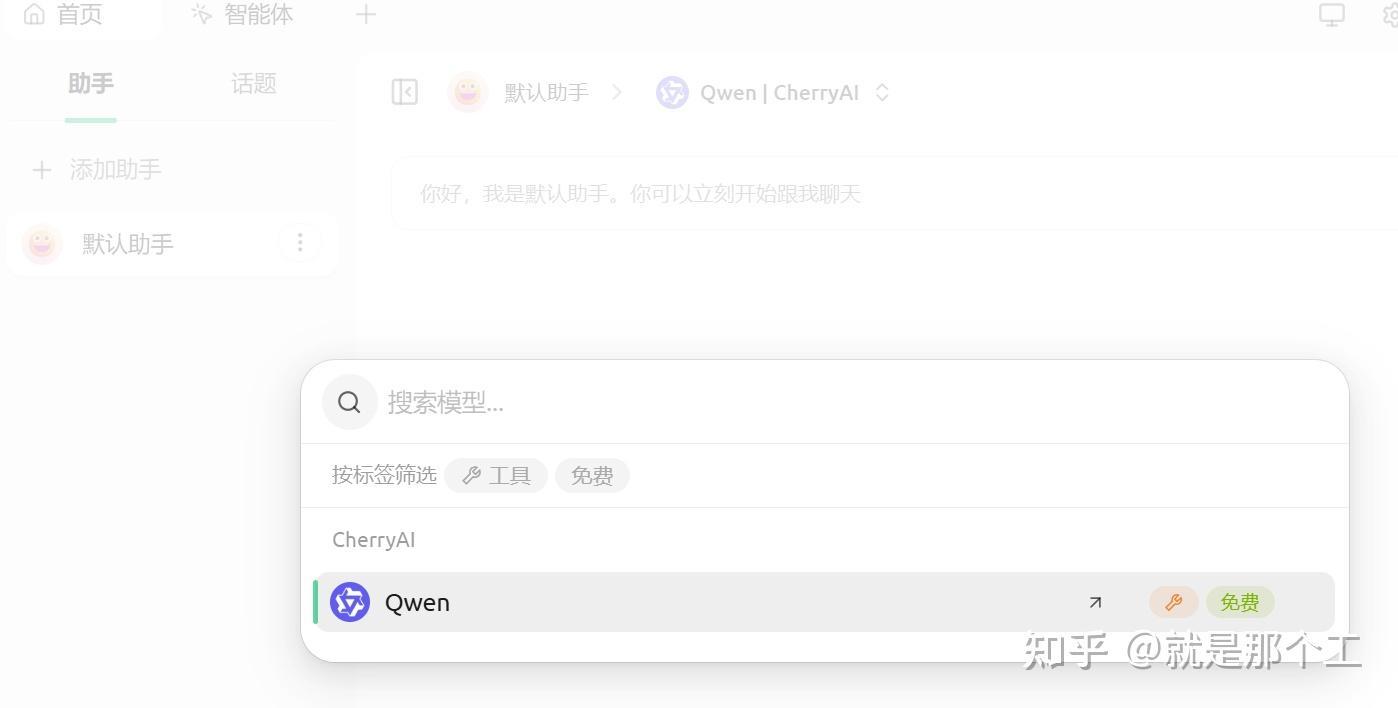
因此,单个使用CherryStudio也可以。Using Cherry Studio alone is therefore another option.
二、关闭思考模式,多次问答II. Disable thinking mode and check through repeated exchanges
很多本地模型有思考模式,我们一般会天真认为开启思考模式得出的答案质量会更高?Many local models have a thinking mode. It is tempting to assume that enabling it necessarily improves the answer.
但本地部署模型,开启思考模式,会大大浪费上下文长度空间。In local deployment, however, thinking mode can consume a substantial amount of context space.
也许一个文本是8000tokens,而思维过程每个思考每个字都要消耗上下文长度,可能光思考的内容就长达几千甚至上万tokens。A document might contain 8,000 tokens, while the reasoning process itself consumes several thousand or even tens of thousands more.
再加上回答的文本长度,一次下来,开启思考模式的单次tokens消耗就在1万+甚至2万。Including the response, a single exchange with thinking enabled can use over 10,000 or even 20,000 tokens.
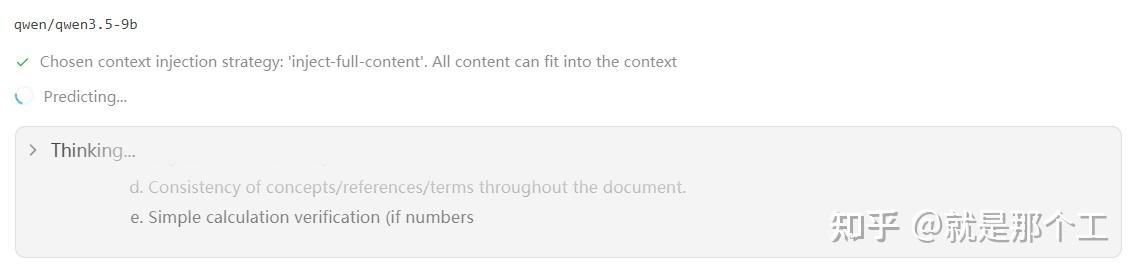
而由于本地模型能力有限,这样消耗下来,结论反而不一定靠谱。Given the limits of local models, that consumption does not necessarily yield a reliable conclusion.
而如果你要继续对话,意味着进一步的上下文长度空间消耗,对话可能中断或者被截取,精度又大大降低。Continuing the conversation uses further context space. The conversation may be interrupted or truncated, substantially reducing accuracy.
如果为了这个而去调高上下文长度,内存的占用又会剧增,对机器的性能和速度提出了更高的要求。Increasing the context window to accommodate this sharply raises memory consumption and demands more performance and speed from the machine.
更重要的是,思考模式极大地消耗时间。More significantly, thinking mode consumes considerable time.
8000多字文本的审核,在20左右tokens/s的速度下,耗时几分钟甚至十几分钟。Reviewing over 8,000 Chinese characters at around 20 tokens/s can take several minutes or more than ten minutes.
对于审核效率来说,对于大部分工作电脑的性能来说,思考模式都是最好关闭的。For proofreading efficiency and the capabilities of most work computers, thinking mode is therefore best disabled in this setup.
那么如何保证审核的质量?How, then, can review quality be maintained?
除了第一次对话或者系统设定的Prompt之外,反复多次对话,多次触发任务,反复要求审核,效果更好。Beyond the initial instruction or system prompt, repeated exchanges that trigger the task again and request further checks work better.
以1.0同样的试验文本为例,思考模式单次对话,耗时长久并且消耗上下文极大的情况下,对于文本中的计算错误和规范用字,都还是有概率识别不到。With the same test document used in version 1.0, a single thinking-mode exchange still sometimes missed calculation and terminology errors despite taking a long time and consuming substantial context.
而关闭思考模式,多次对话,要求反复核查和验证。Instead, disable thinking mode and repeatedly ask for checking and verification.
一般在2次或者3次对话之中,就能够发现计算表述错误和规范用字“侦察”的错误。In general, two or three exchanges were enough to identify the calculation wording error and the incorrect use of 侦察 (reconnaissance) where 侦查 (criminal investigation) was required.
而消耗的tokens数量大大降低。Token consumption was substantially lower.

意味着可以减少上下文长度,节省内存用量。This allows a smaller context window and lower memory usage.
这也是针对1.0摸索的重大更改,也意味着本地ai审核更加轻量化,对机器要求更低。It is a major revision of the 1.0 approach and makes local AI proofreading lighter and less demanding on hardware.
针对机器性能的调试,这里再补充一点:One further point on tuning machine performance:
对于只有集显的pc,调用模型之前,切记设置将8g或者10g内存分配给集显,比默认状态下的调用,速度要快得多。On a PC with integrated graphics only, allocate 8 GB or 10 GB RAM to the integrated GPU before loading the model. In these tests, that was substantially faster than the default configuration.
三、NPU资源调用III. Accessing NPU resources
这部分不是那么重要,作为衍生和趣味。This section is less central, but interesting as a further exploration.
很多芯片有NPU,但是这部分资源基本被浪费。Many chips have an NPU whose resources are largely unused.
需要通过特定的软件、驱动,才能调用NPU运行本地模型。Specific software and drivers are needed to run local models on it.
之前摸索下,发现了对于AMD来说,Lemonade能够加载NPU模型。Earlier experimentation showed that Lemonade could load NPU models on AMD hardware.
但是实践中卡在无法下载。In practice, however, I was unable to complete the download.
这次在Gemini的指导下,成功在Huggingface 上单独下载模型,放在读取文件夹中,并成功启动了Ryzen AI serve 。With Gemini's guidance this time, I downloaded the model separately from Hugging Face, placed it in the required folder and successfully launched Ryzen AI serve.
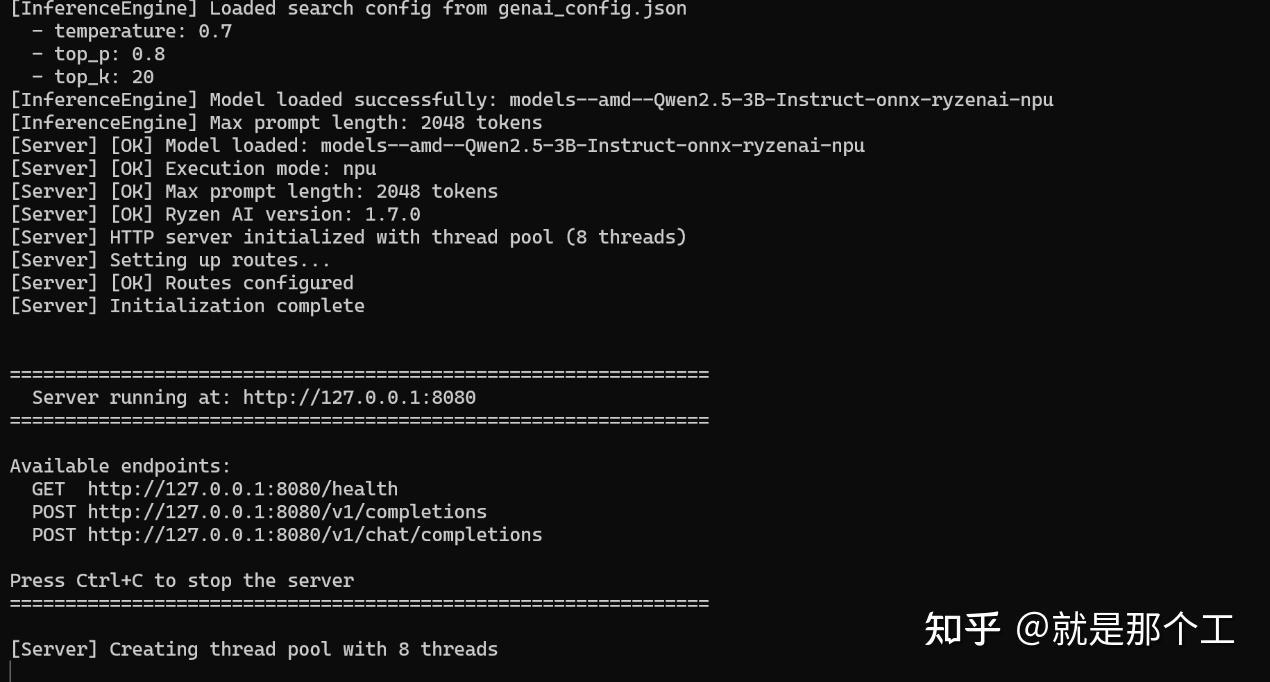
终于在购买电脑2年多后,成功地调用了NPU。More than two years after buying the computer, I finally put its NPU to use.
那么如果把GPU、CPU、NPU都充分调用起来,是不是能否进一步挖掘本机的AI运行上限呢?有没有模型可以同时调用这三者来进行运行呢?Could using the GPU, CPU and NPU together push the machine's AI capabilities further? Are there models that can run using all three simultaneously?
这是下一步摸索的课题。That is the next question to explore.
还有:Other subjects include:
1、本地ai工作流初审、再审‘1. Initial and follow-up reviews within a local AI workflow.
2、本地ai对文件脱敏。2. Document redaction using local AI.
以上就是本次的分享,欢迎多交流。That concludes this update. Further discussion is welcome.