
本地AI在运行的时候通常会耗费很多资源,导致电脑功耗骤增,续航下降非常厉害。Local AI generally consumes substantial resources, sharply increasing power consumption and reducing battery life.
大部分场景下,建议运行本地AI尽量插电。In most circumstances, I recommend running local AI while plugged in.
如果不插电情况下确实需要用来审核一些文件,那么以GPU驱动为主CPU为辅的本地运行方案,对笔记本的续航是巨大的考验。If documents must be reviewed while unplugged, a local configuration relying primarily on the GPU and secondarily on the CPU places considerable demands on a laptop battery.
以我的笔记本为例,不插电正常浏览网页和使用office,续航大概在6到8个小时(集显模式,静音)。On my laptop, normal web browsing and Office use provide roughly six to eight hours of battery life in integrated-graphics, silent mode.
此时如果以LMStudio 直接运行qwen3.5 9b(开启独显),会看到运行期间,续航骤降到1小时以内甚至更短。Running Qwen3.5 9b directly through LM Studio with the discrete GPU enabled reduces the displayed battery life to less than one hour, sometimes considerably less.
那么有没有更为持久一些的本地运行方案呢?Is there a longer-lasting way to run local AI?
有,激活你的NPU 。Yes: activate the NPU.
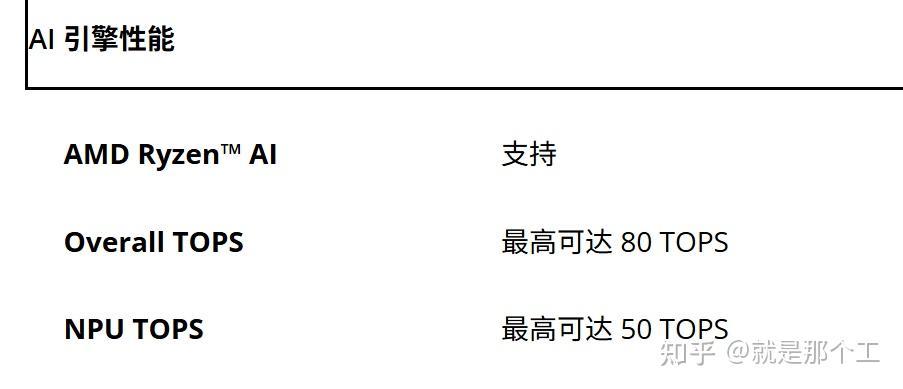
现在芯片的宣传,很多都强调拥有高算力的NPU,专为AI打造。Many chip advertisements now emphasize powerful NPUs designed specifically for AI.
特点就是保证一定的速度,但是功耗很低,非常适合移动设备。Their appeal is the combination of usable speed and low power consumption, particularly for mobile devices.
NPU画面很美,但应用层面的适配目前还不充分,需要针对性下载驱动、部署软件、特别适配的模型。The promise is attractive, but application support remains incomplete. Specific drivers, deployment software and specially adapted models are required.
以下是部署攻略和测评数据。Here are the deployment steps and test results.
先针对AMD 芯片。I will start with AMD chips.
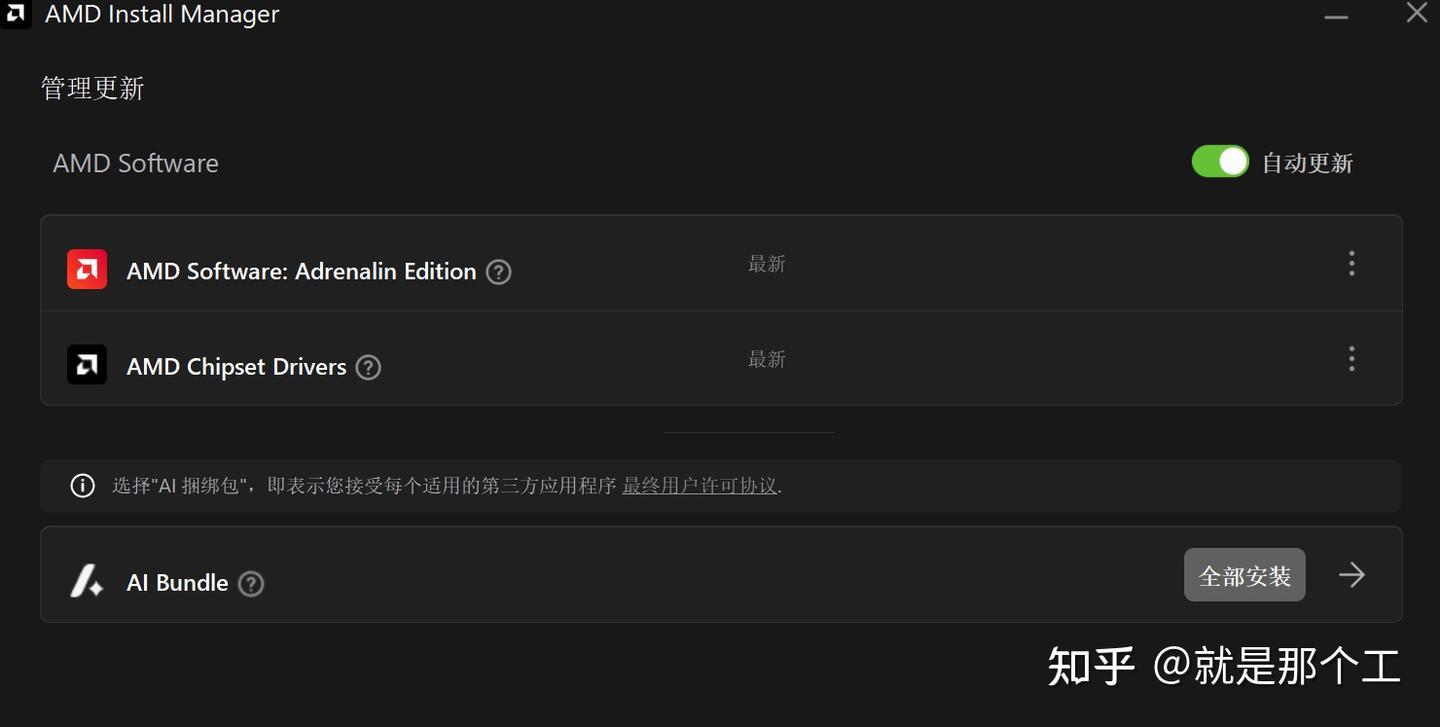
第一步,更新NPU驱动。Step 1: Update the NPU driver.
这一步无论AMD还是Intel都一样,先更新最新的芯片驱动。For AMD and Intel alike, the first step is to update the chip drivers.
一般系统自带的芯片管理工具点开更新就可以,如果实在不放心可以去官方下载最新的管理软件,再进行更新。The computer's chip-management utility will generally provide an update option. If needed, download the latest management software from the official provider and update through it.
第二步,选择部署软件。Step 2: Select deployment software.
AMD可选Lemonade和FLM ,我推荐FLM。AMD users can choose Lemonade or FLM. I recommend FLM.
为什么?Why?
Lemonade巨难用,下载经常出错,而且部署成功率很低。I found Lemonade difficult to use: downloads frequently failed, and successful deployment was uncommon.
被Anythingllm这类软件读取端口的时候,也容易出错,搞起来很麻烦,不知道为啥。Connecting to its port through software such as AnythingLLM was also error-prone and troublesome, for reasons I could not establish.
Lemonade虽然有自己的UI,但是只支持对话,不能上传文件。Lemonade has its own interface, but it supports conversation rather than file uploads.
很鸡肋。That limits its usefulness for this task.
FLM虽然模型下载也失败。FLM also encountered model-download failures.
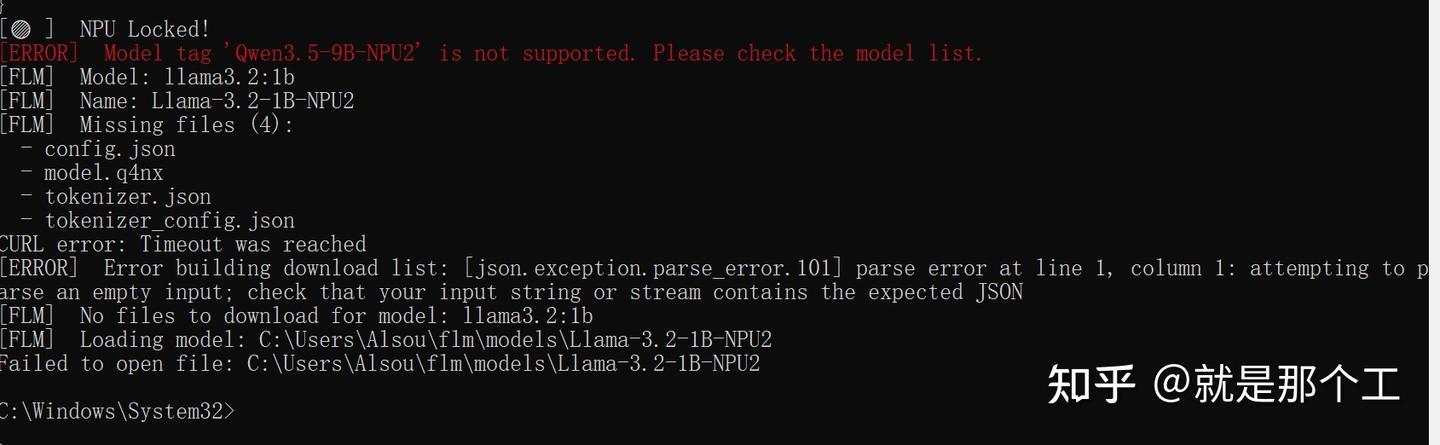
但是只要把模型文件夹路径设定好,单独下载好模型软件直接丢进去,就可以运行。But after setting the model-folder path, downloading the model separately and placing it in that folder, I could run it.
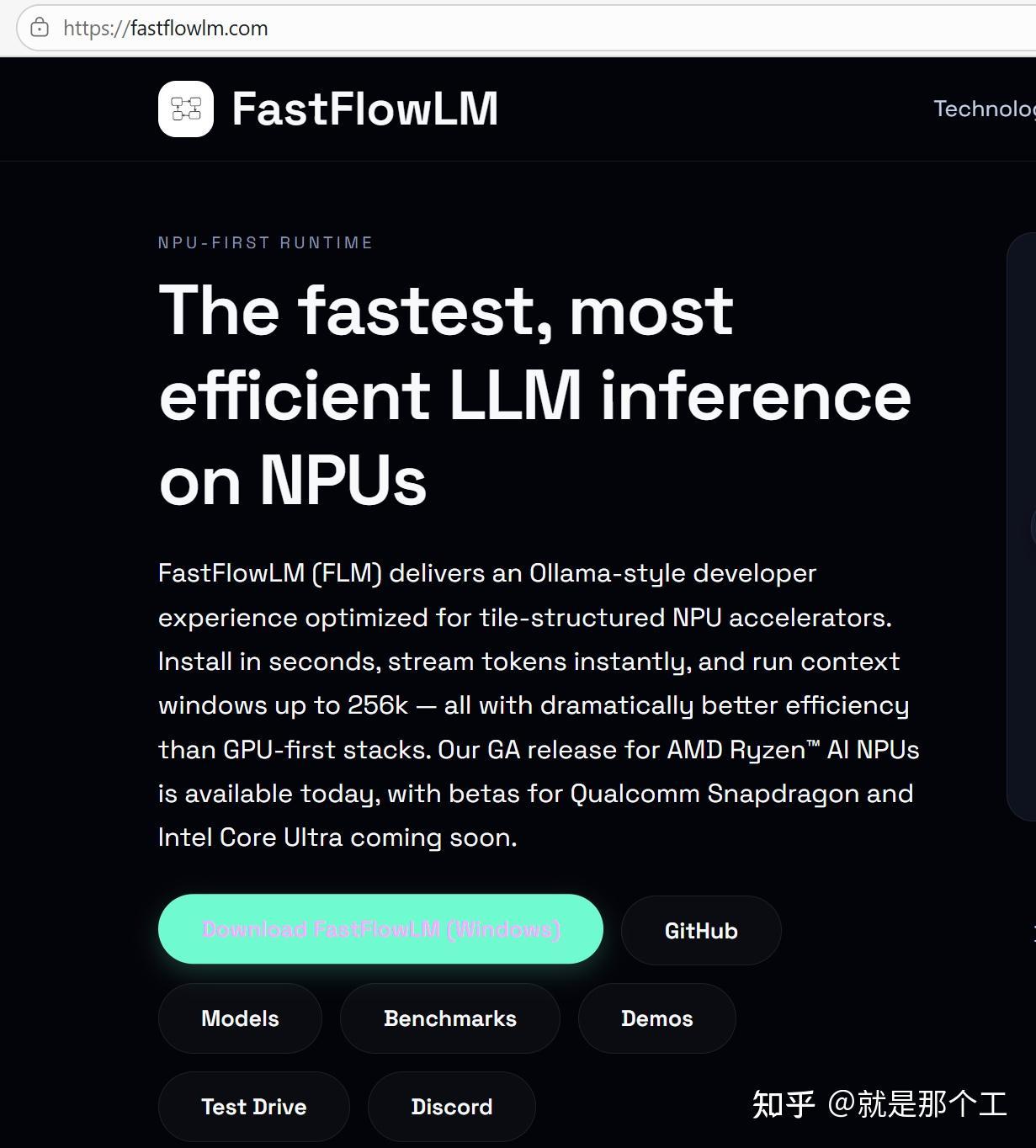
下载直接搜FastFlowLm,去官网下载。Search for FastFlowLM and download it from its official website.
安装好,桌面有两个文件,一个是run一个是serve。After installation, two desktop items appear: run and serve.
Run主要用来验证你的模型读取成功了没有,成功了之后不需要开这个。Run mainly verifies whether the model loads successfully. Once that is confirmed, it does not need to remain open.
一般只需要开启serve,用AnythingLlm这类的软件,直接读取端口,就能够使用部署的模型了。Normally, only serve needs to be running. Software such as AnythingLLM can connect to its port and use the deployed model.
第三步,下载模型。Step 3: Download a model.
打开powershell ,输入flm list。Open PowerShell and enter flm list.
你会看到一大串支持的模型列表。A long list of supported models will appear.
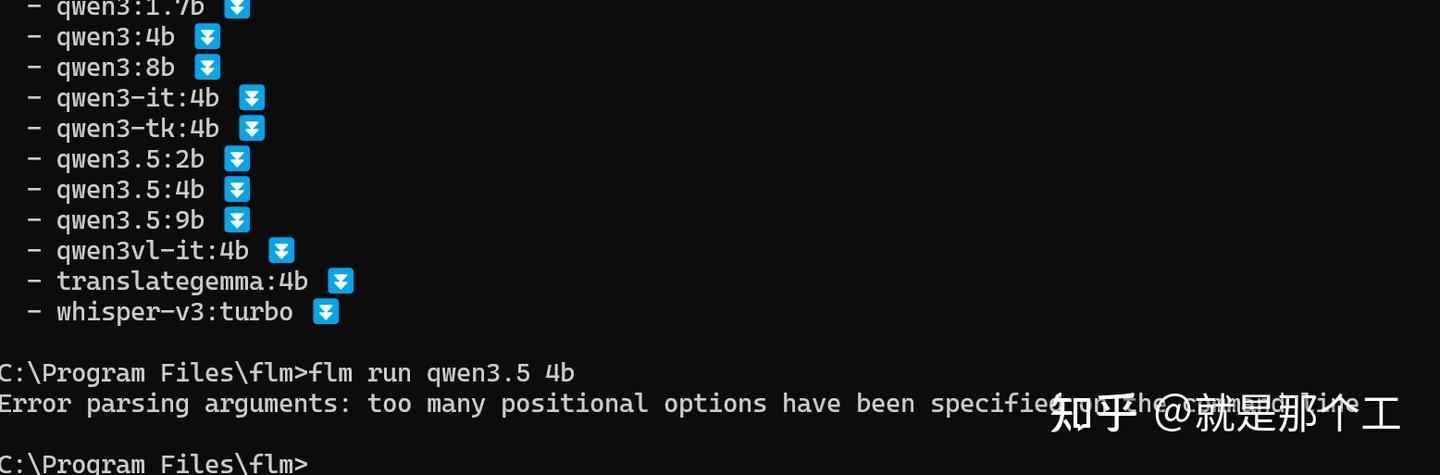
按照列表输入flm run +你想要下载的模型名称。Following that list, enter flm run followed by the model name you want to download.
比如,输入flm run qwen3.5:9b,就会开始下载这个模型。For example, flm run qwen3.5:9b starts downloading that model.
等一会,下载一定会失败,这是必经之路。In my setup, the download inevitably failed after a while; this became part of the process.

重点记住这个模型的读取地址,去文件管理器找到这个路径文件夹。Note the model's loading path and locate the corresponding folder in the file manager.
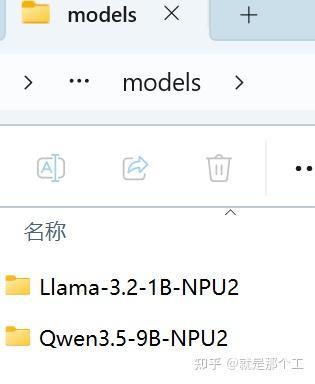
放着别动,虽然下载失败,但是文件夹建好了,就差内容了。Leave that folder in place. Although the download failed, the folder has been created and only its contents are missing.
看好这个文件夹的名称,一会要复制,要用。Note its name: you will need to copy and use it shortly.
出门左转去浏览器,前往Huggingface 官网。Open a browser and visit the official Hugging Face website.

搜索模型,直接输入文件夹的名字,Qwen3.5-9B-NPU2。Search using the folder name, Qwen3.5-9B-NPU2.
就能找到这个模型的文件下载页面。This leads to the model's download page.
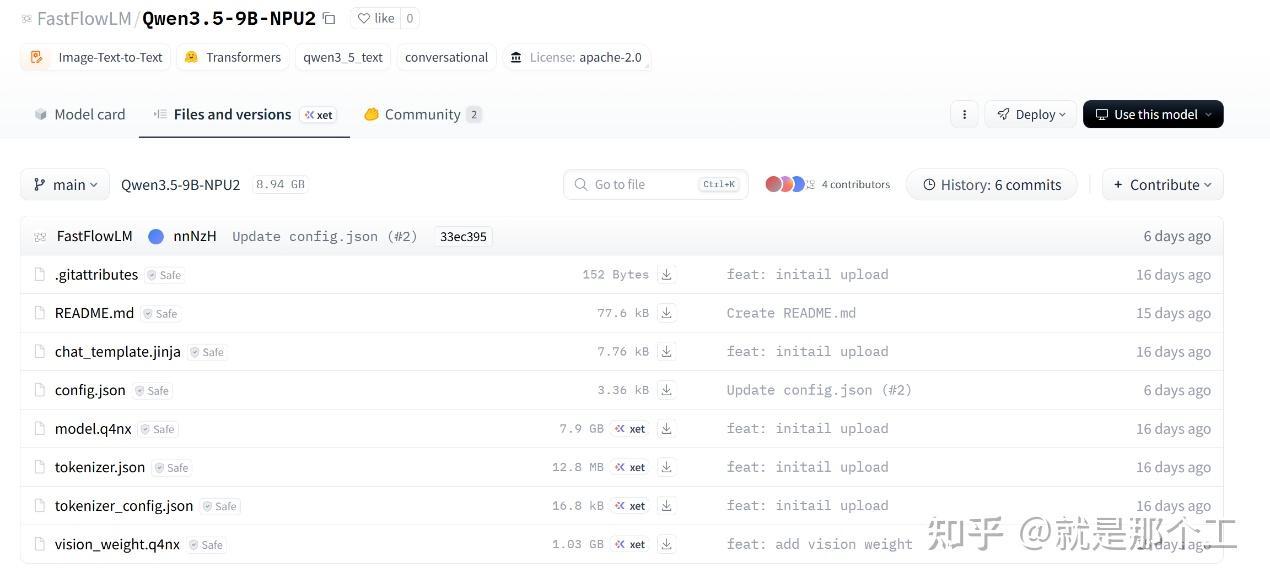
这些全部都要一个个下载下来,然后复制放进刚才的模型文件夹里。Download each of the listed files and copy them into the model folder created earlier.
这个网站有FastFlowLM 专区,很多其他适配FLM的模型都有,可以直接点进去下载。The website has a FastFlowLM section containing other models adapted for FLM, which can also be downloaded directly.
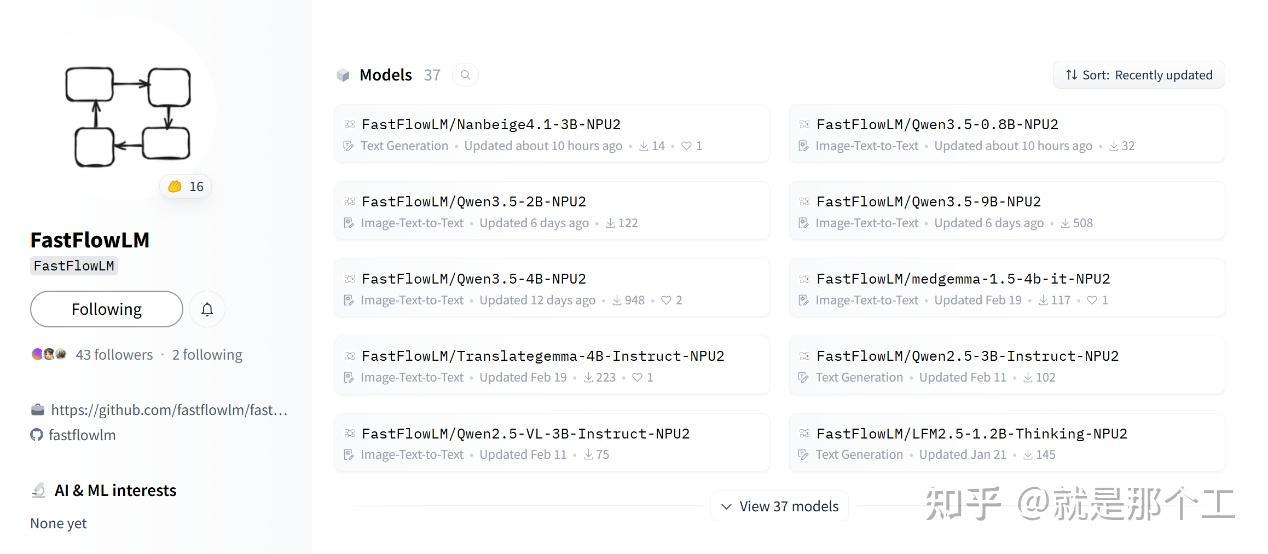
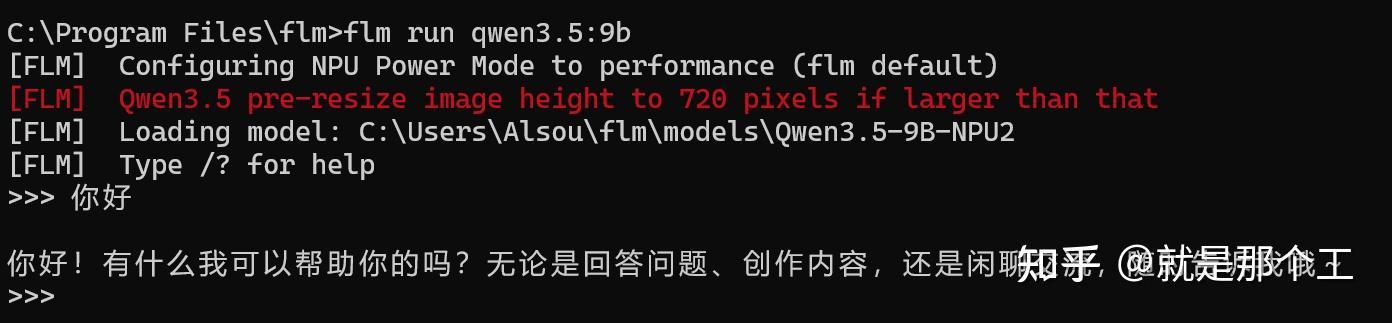
下载好,放好位置,再次启动powershell,输入flm run +模型名称。Once the files are in place, reopen PowerShell and enter flm run followed by the model name.
如果显示运行成功,就ok了。If it reports successful execution, the model is ready.

在这个代码界面你就可以和他对话,但是我们的任务是审核稿件,关闭它。You can converse with it in that command window, but our task is document proofreading, so close it.
关闭刚才的powershell或者flm run的窗口,打开flm serve。Close the PowerShell or flm run window and start flm serve.
记得一定要这样做,不然serve的npu端口会被占用。This matters because otherwise the NPU port needed by serve may already be occupied.
打开flm serve,就会自动运行flm的本地端口,界面会显示端口地址。Starting flm serve launches its local endpoint and displays the address in the interface.
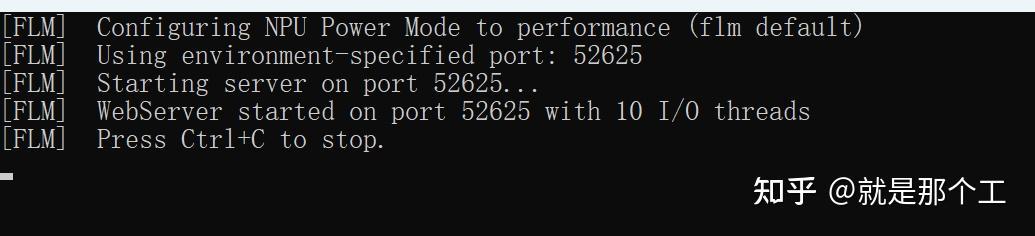
这里的52625就是端口地址。这个窗口放在这里不用动。In this example, 52625 is the port number. Leave that window running.
第四步,使用模型。Step 4: Use the model.
打开我们的老朋友AnythingLlm。Open AnythingLLM again.
选择LLM提供商,选择Generic OpenAI。Under LLM Provider, choose Generic OpenAI.
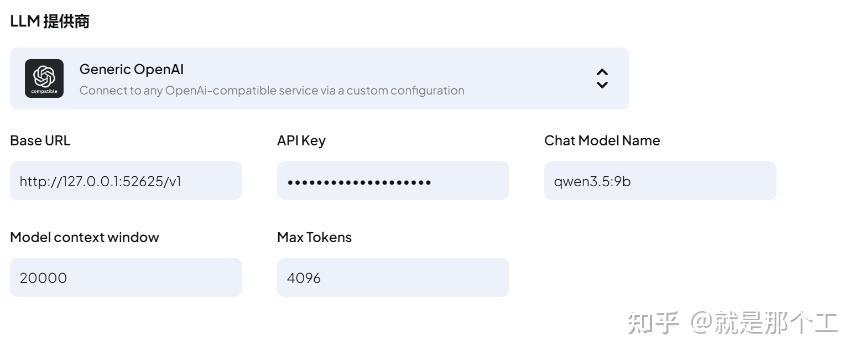
按照上图填写,base url就是flm的本地端口地址,前面是默认的127.0.0.1不用动。在冒号后面写上刚才的flm端口数字52625,然后后面加/v1。Complete the settings as shown above. The base URL points to FLM's local endpoint: leave the default 127.0.0.1 unchanged, add the port number 52625 after the colon, and append /v1.
Apikey随便写。Any placeholder value can be entered for the API key in this local setup.
Model Name重点注意不要写错了,要写的是代码窗口flm list列举的模型名称。Take care with Model Name: use the name shown by flm list in the command window.
不要写成文件夹的名称。比如这里就是qwen3.5:9b。Do not use the folder name. Here, the correct model name is qwen3.5:9b.
审核长文本,上下文窗口就填1万到2万,max tokens填4096够了。For lengthy documents, set a context window of 10,000 to 20,000 tokens. A max-tokens setting of 4096 is sufficient here.

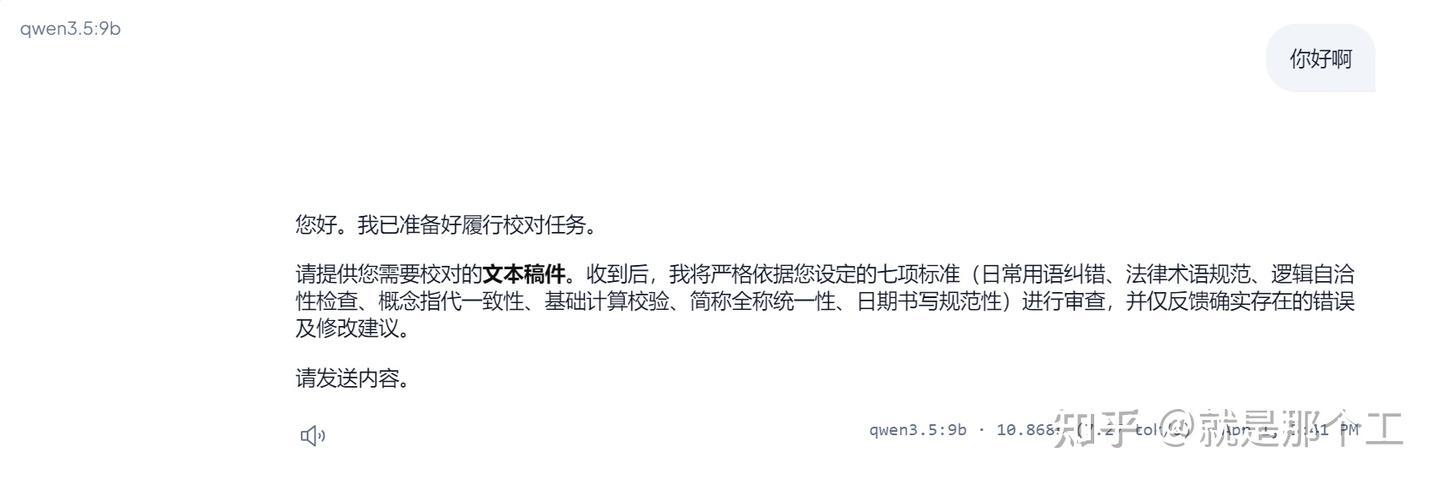
保存,进入AnythingLlm对话界面,试一下,可以对话就调用成功了,你可以用这个界面上传文件,让这个部署在NPU的qwen3.5 9b模型来进行文本审核。Save the settings and test a conversation in AnythingLLM. If it responds, the connection works. You can then upload files through that interface for the NPU-hosted Qwen3.5 9b model to review.
最后一步,实测表现。Final step: Practical performance.
依然用一篇脱敏的长法律文本进行测试。I again tested a lengthy, redacted legal document.
首先可以确定的是,保证了9b量级qwen3.5的审核精确性,很准确地找到了“侦察“这种细致的用词规范问题。The first observation was that the proofreading accuracy of the 9b Qwen3.5 model was retained: it accurately identified the subtle misuse of 侦察 (reconnaissance) in a context requiring 侦查 (criminal investigation).

在输出速度上,大约7tokens/s,约为gpu+cpu部署速度的三分之一。Output speed was approximately 7 tokens/s, around one-third of the GPU-plus-CPU deployment's speed.
内存占用较大,基本上npu跑满100%,内存占用9g。RAM usage remained substantial, at around 9 GB, with NPU utilization close to 100%.
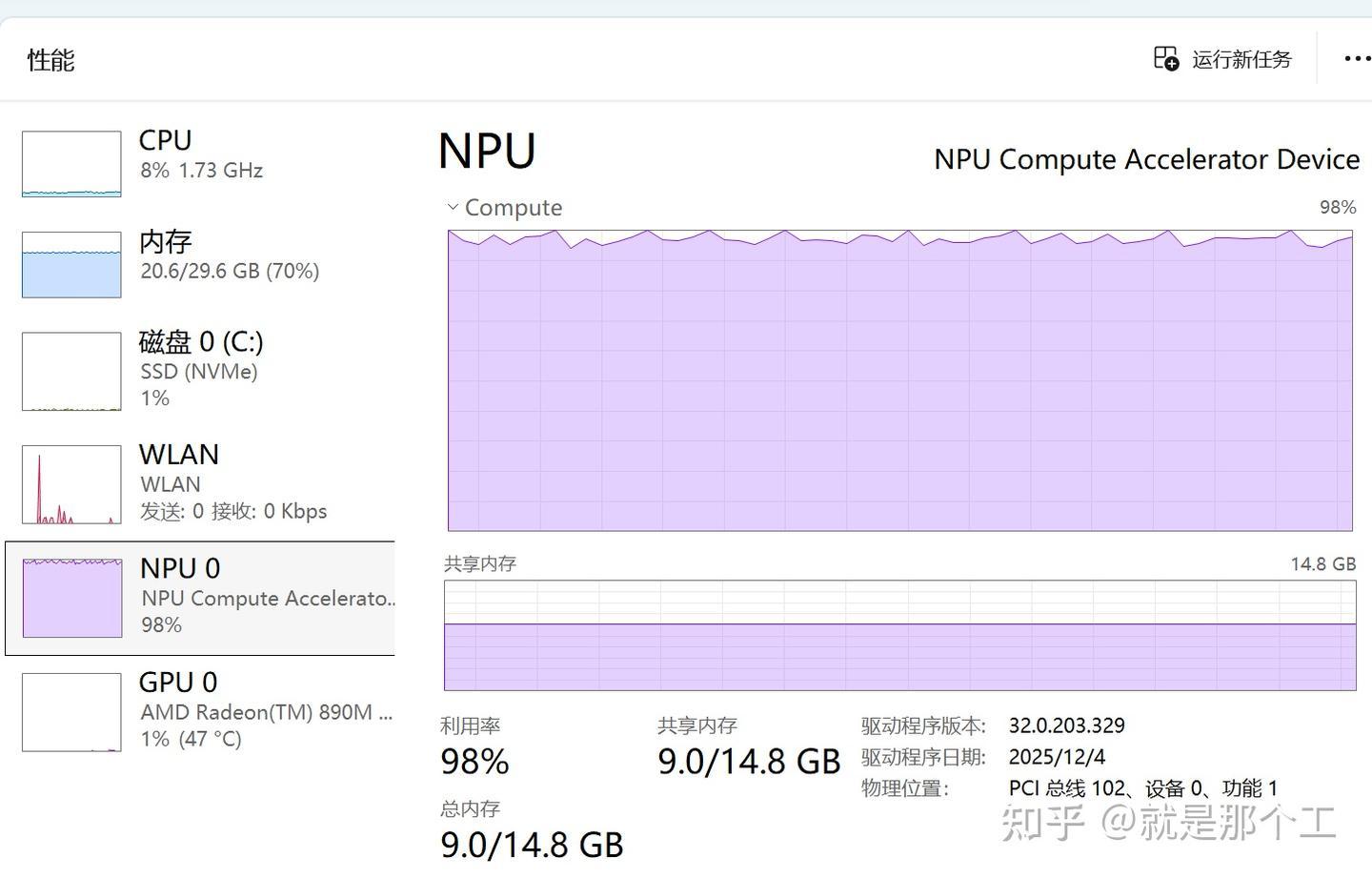
但GPU、CPU完全不占用,所以温度很低,不需要风扇狂转。GPU and CPU utilization, however, were effectively absent, so temperatures stayed low and the fans did not need to run at high speed.
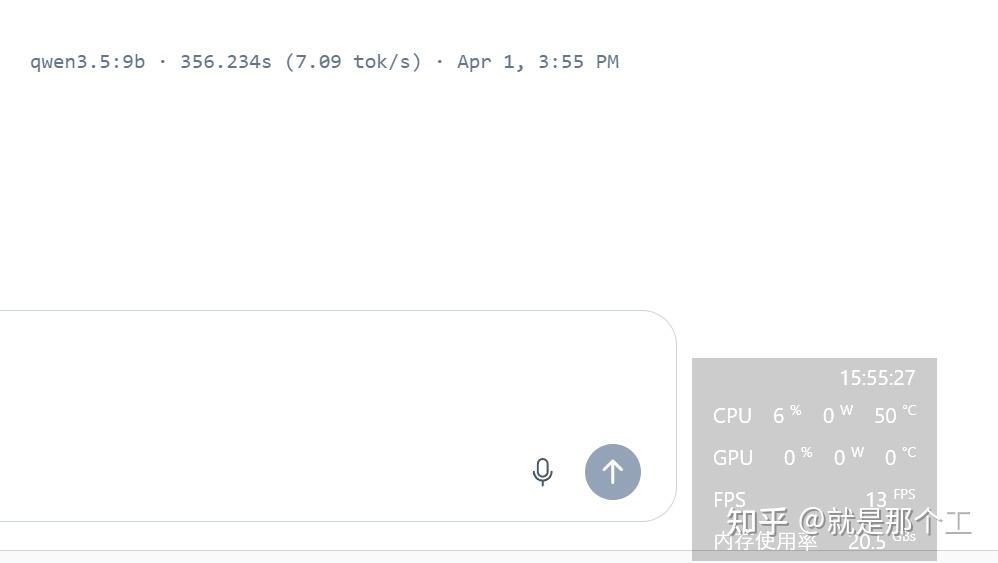
但内存的大比例运行,对于续航还是有影响。AI回答过程中,显示续航降低到两个多小时。The substantial memory load still affected battery life. While AI was generating a response, the displayed remaining life fell to a little over two hours.

比GPU狂奔的1小时以内要好不少。That was considerably better than the less-than-one-hour result under heavy GPU use.
总体来说可以作为插电本地模型的补充,可以本地部署一个NPU模型在离电场景使用,速度是慢了一些,但是审核文本足够用了。Overall, this can complement a plugged-in local model. An NPU model can be deployed for unplugged use: it is slower, but adequate for document proofreading in this test.
英特尔的部署方法,等我找一个英特尔电脑摸索一下。I will explore Intel deployment when I have access to an Intel computer.
以上内容供大家参考,多交流。These observations are offered for reference. Further discussion is welcome.